Best Practice Exercise Updates
Print
Modified on: Mon, 17 May, 2021 at 4:02 PM
- The flow of the exercise has been updated. When setting up the exercise, the user will now select all of the modules, then select all of the best practices that the client will evaluate within the respective modules, and then cycle through the 4 questions for each best practice in the order of the modules. Previously, the modules were selected, then the relevant best practices were selected within the first module only, and then the 4 questions for each best practice would have to be evaluated before moving onto selecting the relevant best practices within the next module.
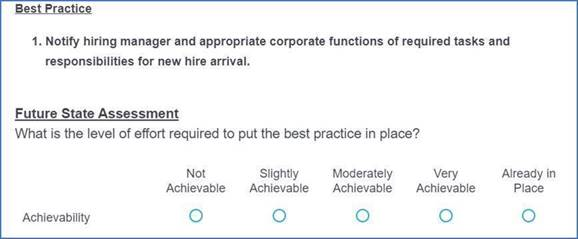
- To allow the user to see the best practice they are evaluating without having to continuously scroll up and down, we have added the best practice description under the Future State Assessment label. See screen shot directly below.
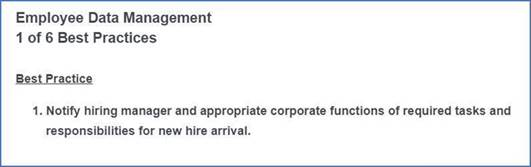
- To allow the user to get a sense of the progress they’ve made and how many more best practices they need to evaluate during the scorecard exercise, we added a counter at the top of the best practice page. For example, if there are 6 best practices in Employee Data Management that the user will be evaluating, each best practice page will display a counter for that particular section indicating 1 of 6, 2 of 6, 3 of 6, and so on. See screen shot directly below.
Did you find it helpful?
Yes
No
Send feedback Sorry we couldn't be helpful. Help us improve this article with your feedback.
