
Dashboard
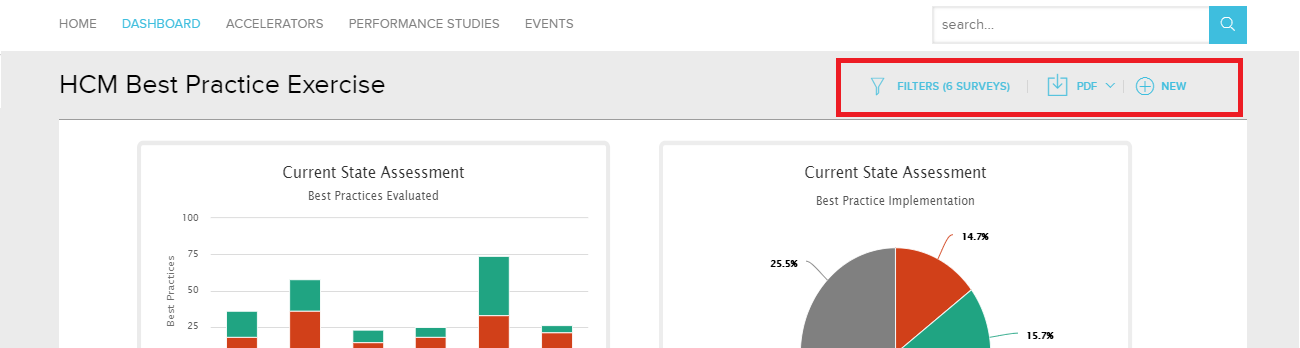
The dashboard control toolbar on the top right of each dashboard page has been updated.
 | The Filter icon controls the survey(s) being displayed. |
 | The Download button allows the user to download the full dashboard into either PowerPoint, PDF or Excel. |
 | The New link has been added to launch a new Survey for the specific dashboard being viewed. |
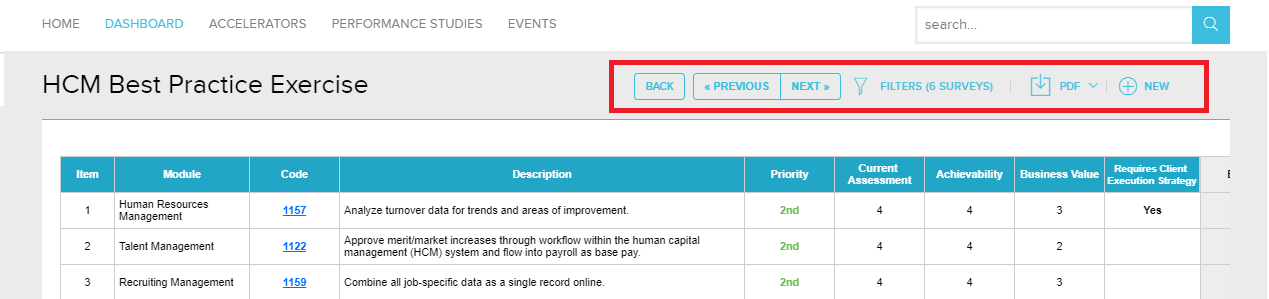
If a dashboard has an additional drill down feature as with the Best Practice Exercise, the toolbar will show additional navigation buttons (Back, Previous, Next) for navigate within the multiple pages of the drill down.
Search
- The search results page will only display the content types which have results, instead of showing all content types at the top of the page.
- The limit of only showing 100 items in the search results was removed. The page will display 25 items per page with a “Load More” button at the bottom of the page.
- Fixed the defect of the research results showing more results than the number initially indicated, when the filters are applied to the best practice content type.
- Fixed the defect of the search magnifying glass icon disappearing after performing a search.